EN

How Does Automated Packaging Speed Up Lead Times for Custom-Labeled Fastener Clip Orders?
For a buyer placing a custom-labeled Fastener Clip order, lead time rarely depends on molding alone. The order moves through count confirmation, pack configuration, label approval, packing, verification, and handoff. When those activities are handled as separate manual tasks, small information gaps can hold the whole batch. Automated packaging can shorten that path by connecting repeatable tasks and making exceptions visible earlier. It does not create an automatic delivery promise; the actual timeline still depends on the approved specification, order quantity, materials, production schedule, and shipping plan.
From a wholesale procurement perspective, the useful question is not simply whether a supplier has automated equipment. It is whether the Fastener Clip order arrives with the information the packaging workflow needs. A clear pack count, a usable label file, a defined carton mark, and a confirmed clip specification give the process fewer reasons to pause.
Why packaging often becomes the slow part of a clip order
A Fastener Clip is a small component, but the order data around it can be detailed. Buyers may need a specific clip profile, a stated quantity per polybag or box, a private label, a barcode, an outer-carton mark, or a mixed-SKU kit. Each variable is reasonable on its own. The difficulty begins when the information is incomplete, changes after packing has started, or exists in different formats across the purchase order, artwork, and shipping instructions.
Manual packing creates handoffs: one person counts, another prepares labels, another checks carton marks, and another reconciles the finished quantity. That approach can work for limited runs, yet it introduces waiting time whenever a count or label requires clarification. In a custom-labeled Fastener Clip order, the label is part of the order identity, not a decoration added at the end.
What automated packaging changes
Automation is most helpful when it handles repeatable actions consistently. Depending on the approved pack format, a line may count or weigh clips, form a bag or carton, print and apply the assigned label, and record that a completed pack has passed through the station. The point is not to make every order identical. It is to make the stable portion of the workflow repeatable while routing exceptions to people before they affect a larger quantity.
For Custom-Labeled Fastener Clip orders, this usually improves flow in four ways:
- Fewer separate handoffs: counting, sealing, and label application can follow one defined sequence instead of waiting in separate queues.
- Earlier mismatch detection: a pack-count or label-data discrepancy can be flagged before cartons are closed and staged.
- More consistent pack records: repeating a confirmed configuration is easier when the pack rule and label fields are stored together.
- Clearer final review: the team can concentrate on exceptions, artwork approval, and customer-specific checks rather than repeating each routine task by hand.
Automated labeling is also relevant to traceability. In automotive supply chains, packaging and labeling are commonly used to support product identification and shipment handling. The applicable label content, code format, and customer rules still need to be confirmed for the destination and order; a generic label should not be treated as a substitute for those requirements.
How the workflow can reduce waiting time
1. Confirm the clip before the label is released
The fastest packaging sequence starts with stable product identification. The buyer should identify the Fastener Clip by the relevant drawing, sample, dimensions, hole or panel conditions, and intended location where applicable. Visual similarity alone is not sufficient for a replacement or mixed assortment. Once the clip record is clear, the label can reference the correct SKU description and pack configuration instead of being revised after production has moved forward.
2. Treat label artwork as production data
Provide artwork in the agreed format and confirm which fields may change between runs: brand name, part number, barcode, country-of-origin wording if applicable, lot or date fields, and carton marks. A good approval record distinguishes fixed artwork from variable data. This matters because a last-minute text edit can stop an otherwise ready packaging run while a new proof is checked.
3. Define the pack logic in one order sheet
State the units per inner pack, inners per carton, permitted quantity tolerance if any, and whether mixed clips are allowed. For Automated Packaged Automotive Retainers, the packing rule should say whether counting is by pieces, sets, or kits. It should also explain how a partial carton is handled. Putting these decisions in one approved record reduces repeated questions between purchasing, production, packing, and shipping.
4. Separate routine packs from exceptions
A line works most smoothly when standard packs are allowed to proceed and unusual requirements are identified before release. Examples include a new barcode layout, a special insert, a nonstandard outer-carton mark, or a revised mixed-SKU assortment. These do not make automation unsuitable. They simply require a defined review point. By marking exceptions early, the supplier can protect the normal pack flow without overlooking the custom request.
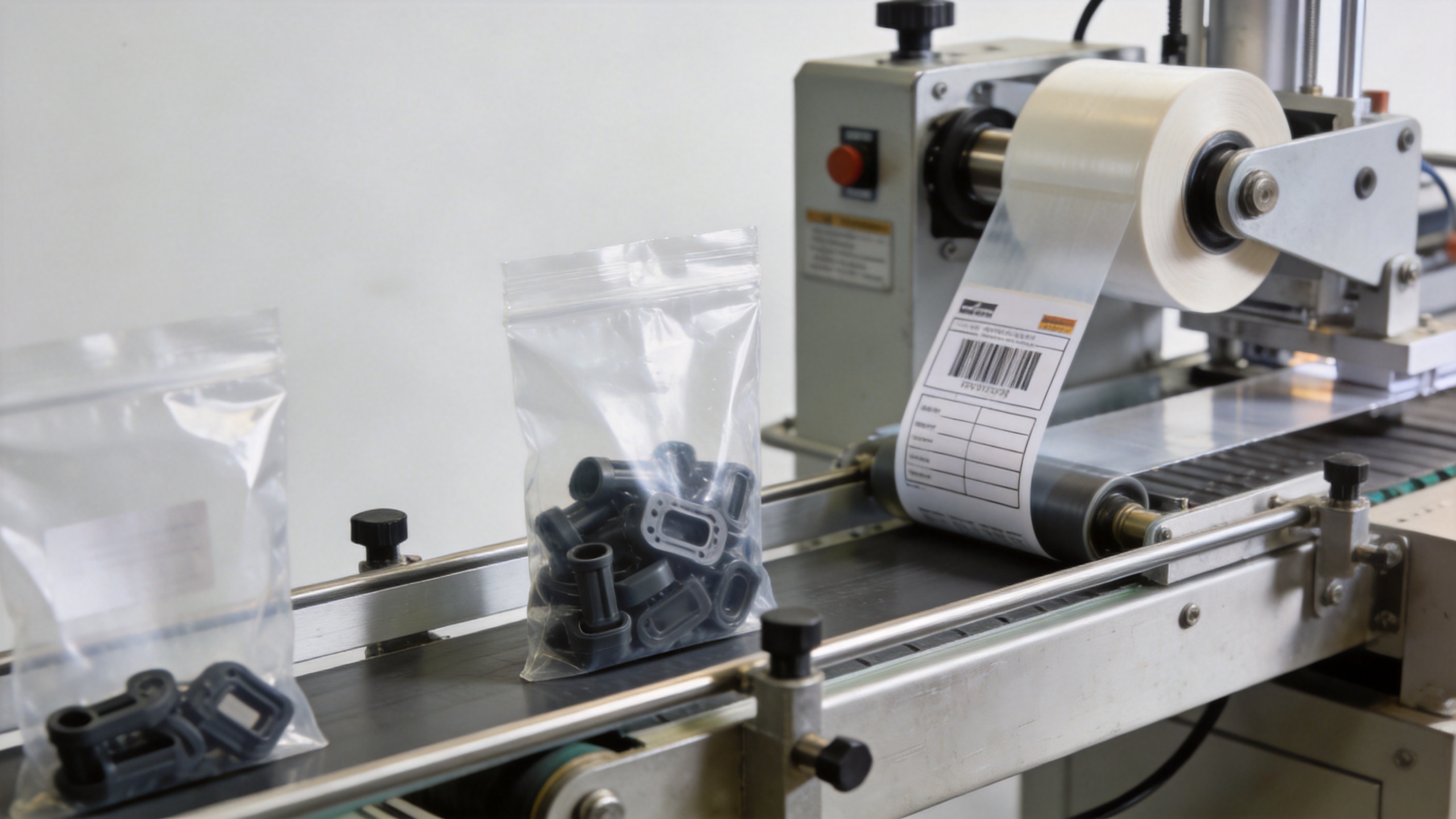
A practical lead-time map for custom labels
| Order stage | What automation can support | What the buyer should confirm |
|---|---|---|
| Specification release | Links a repeatable pack rule to a part record | Clip identification, quantity, and pack format |
| Label preparation | Uses approved fields for repeat printing or application | Artwork version, barcode data, and required marks |
| Pack execution | Supports consistent counting, sealing, and label placement | Units per pack, kit composition, and inspection points |
| Final review | Helps isolate exceptions and reconcile completed packs | Carton labels, shipping marks, and documents required for dispatch |
This map shows why automation can speed up lead times without removing the need for buyer confirmation. The system works faster after the commercial and technical inputs are stable. If the requirements change late, the workflow should pause long enough to protect label accuracy and pack integrity.
Questions to ask before placing a custom-labeled Fastener Clip order
- Which exact Fastener Clip SKU, drawing, sample, or dimensional record is being ordered?
- What quantity belongs in each bag, box, kit, and outer carton?
- Which label fields are fixed, and which fields must vary by lot, destination, or shipment?
- Has barcode readability or customer-specific label content been reviewed where required?
- Are there special inserts, color marks, dividers, or mixed-SKU rules that change the normal packing sequence?
- What final records or photos, if any, should be agreed before dispatch?
These questions can feel procedural, but they are often what keeps a custom order from returning to clarification after the clips are ready. For wholesalers and online sellers, a reusable packaging specification also makes the next replenishment easier to prepare.
Use automation as a coordination tool, not a vague speed claim
Automated packaging can help a custom-labeled Fastener Clip order move with fewer avoidable waits because it combines routine counting, pack formation, label application, and recordkeeping into a defined sequence. Its value is strongest when the clip specification, packaging logic, and label data are confirmed before the run begins. That is a more useful purchasing standard than asking for an unspecified “fast” lead time.
For a new order, start with the actual part reference, pack count, artwork version, carton requirements, and destination-specific instructions. Then ask which elements can be reviewed before production release. That preparation gives both sides a clearer path from clip selection to a correctly identified shipment.

 Hot News